

Industry guides
TraceClose for ad agencies and media buyers
For an agency, each client is a separate organization, with its own WhatsApp, ad account, funnel, currency and team. You switch between them with the selector at the top of the sidebar and show the client the ROAS that comes from sales recorded on WhatsApp, not just the cost per conversation.
How to organize your clients
- One organization per client. WhatsApp numbers, funnel, team, time zone and currency belong to each organization, and one client’s data never shows up in another’s. The Agency plan includes 5 clients and charges for additional ones; Growth allows up to 3 organizations. See the plans.
- New organization. For now, a new organization is opened by our support team: talk to us. There’s no consolidated view of several clients on one screen yet.
- The same email for all of them. Agency staff who work in several organizations sign in with a single login and switch using the “Your organizations” selector. Switching opens a new session in that organization.
- The client’s team. Invite the client’s salespeople as Salesperson and, if you like, the business owner as Manager. Anyone who isn’t on billing doesn’t see invoices or payment methods.
Set up a new client in 20 minutes
- In the client’s organization, apply the template for their segment in Settings › Segment (Clinic, Aesthetics, Digital products, Real estate, Local services…). See the other industry guides.
- In Settings › Operations › Region and language, make sure the time zone and currency match the client’s ad account: an account in a different time zone is excluded from totals, and spend in another currency only shows up when you pick that currency in the report.
- Connect the client’s WhatsApp with the QR code, with the number’s phone at hand. If the client has the phone, the screen can also show a pairing code for them to type into WhatsApp.
- Create the Meta connection with the system user token from the client’s Business Manager (BM) and choose the ad accounts. An ad account can only be in one connection.
- Turn on conversion sending and check each stage’s event in Settings › Pipeline.
- Create tracked links for the website and bio, and use the For ad button to paste the URL with Meta’s parameters into your website ads.
The report your client understands
In Analytics › Campaigns you get the Account → Campaign → Ad set → Ad tree with spend, conversations, leads, meetings, wins, revenue, CAC and ROAS, for paid traffic leads only. Build a saved view with the columns you present and use Export to download a CSV by account, campaign, ad set or ad (up to 50,000 rows, with the columns and filters on screen). The Overview has 24 cards with the change versus the previous period.
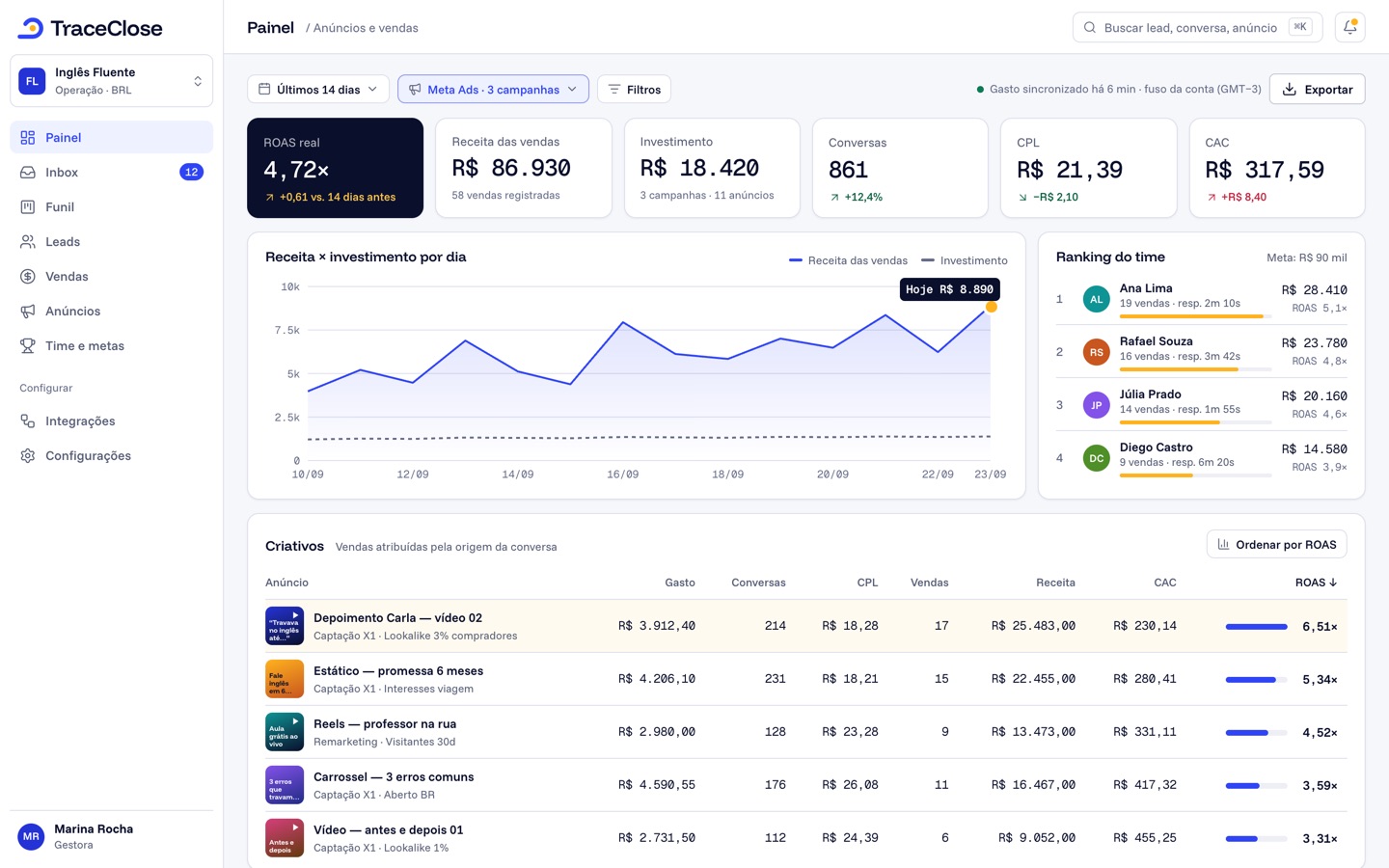
Pick the right reading for the client meeting: Cohort (the default) answers “how much did what we spent in September bring in”, counting sales up to today; Event date answers “how much did we sell in September”. See cohort or event date.
Alerts so nothing catches you off guard
On plans with alerts, in Analytics › Alerts, every organization starts with three rules: CPL above a threshold, spend with no leads for 3 hours, and an active campaign with no delivery for 6 hours (the amount-based ones start turned off if the currency isn’t the Brazilian real). Adjust each client’s CPL threshold and choose to be notified in the app and by email. On top of that, every day at 8 a.m. (the organization’s time), managers get yesterday’s digest by email, with spend, leads, CPL and the three campaigns that spent the most. See alerts and daily digest.
Example: Example Agency
Example Agency (fictional) serves four clients: a med spa, a real estate agency, a course creator and a custom cabinetry store. For the cabinetry client, the cost per conversation was the best in the portfolio ($9.00), but TraceClose showed only 2 sales in the month for $3,000.00 in spend. Breaking it down by ad, the “free quote” campaign was bringing in browsers; the “3D design” campaign had a cost per conversation of $18.00 and 70% of the sales. The client renewed the contract with the budget reallocated.
What about the agency’s own sales?
The agency can also use an organization to sell its own services. The Ad agency template has New lead, In conversation, Meeting scheduled, Meeting held, Proposal sent, Contract signed and Lost, with “sale” called contract and the Lead, Schedule, SubmitApplication and Purchase events.
Didn’t work? See…
- Client account excluded from totals: ad account excluded from totals.
- Spend at zero after connecting: spend doesn’t show up.
- Switch between clients: switch organizations.
Frequently asked questions
Can I see all my clients on one screen?
Not yet. Each client is an organization, and you switch with the selector at the top of the sidebar.
Does the client see the agency’s invoice?
No. Invoices and payment methods only show up for whoever handles billing for the account; the client’s managers and salespeople don’t see them.
Can I export the report for my client?
Yes, the campaign report, as a CSV, in Analytics › Campaigns › Export. The overview and the other tabs don’t have an export.
See the path from ad to sale in your WhatsApp.
Try TraceClose free for 7 days with your team. No card needed to try.